Lectormanga - Manga y Manhwa
AWWSTUDIOComics
0.00.00 Reviews
- Version
- 1.0.4
- Installs
- 10.00K
- Age Rating
- Everyone
Screenshots
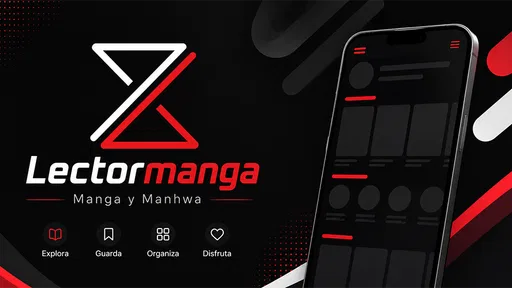
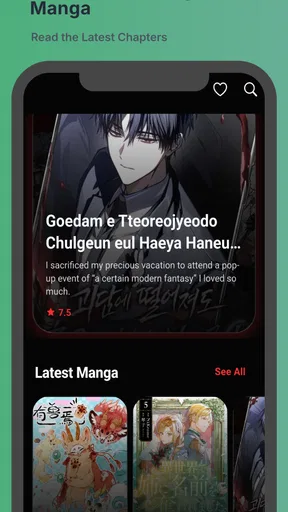
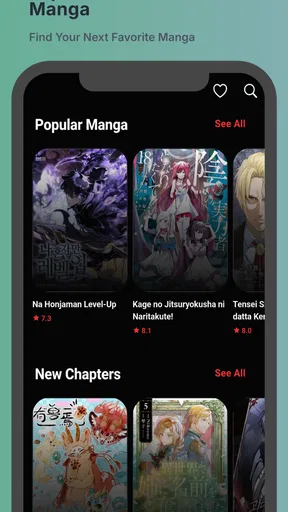
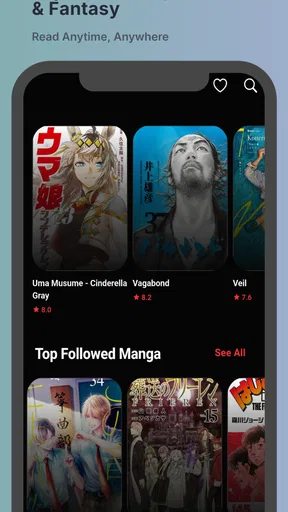
Our Review of Lectormanga - Manga y Manhwa
 Analysis by Appyee
I usually judge a manga reader by what happens between deciding to read and actually reaching the page. A large catalog is useful, but it does not help much if the route from opening the app to finding a comfortable chapter feels confusing. Lectormanga - Manga y Manhwa takes a straightforward approach: it is a free Comics app from AWWSTUDIO focused on reading manga and manhwa in a quick, simple way.
That focus is both its appeal and its limitation. I found it easier to understand than apps that try to combine reading, social features, recommendations, accounts, and several media formats in one place. At the same time, readers who expect a highly polished ecosystem, deep personalization, or a long list of advanced reading controls may find the experience more basic. My overall impression is that it works best when the main goal is clear: open a phone, locate a comic, and read without unnecessary ceremony.
From deciding what to read to reaching the first page
Before I settle on a manga reader, I focus on the small stretch between having a title in mind and seeing its first page. That’s where a lightweight, dedicated app can save more time than a crowded platform, but a clear starting point matters only if the next steps feel dependable. I’ll look at how Lectormanga handles that path, then consider what changes during longer reading sessions.
The starting point: a reader who wants less setup
Imagine a common situation. I have a few spare minutes while waiting for an appointment, I remember the name of a manhwa, and I want to read it immediately rather than search through several unrelated services. In that moment, a dedicated manga and manhwa reader makes more sense than a general web browser. The app’s short store description is simply “Lectormanga,” and that direct identity is reflected in how I approach it: I treat it as a focused reading tool, not as a broad entertainment platform.
The app belongs to the Comics category and is available at no cost. Its age rating is Everyone, which makes the basic audience broad, although that should not be confused with every individual comic being suitable for every reader. The content available inside a comic service can still vary in tone and subject, so I would always check a title before handing the phone to a younger reader.
Installation requirements are also modest. The current version is 1.0.4 and it supports Android 7.0 or later, so people using an older but still functional Android phone may be able to try it without replacing their device. A practical detail like this matters for a reading app: comics are often consumed on secondary phones, tablets, or older devices kept for travel, and compatibility can decide whether the app is useful before the first chapter is opened.
Step one: identifying the right title
The first handoff in the workflow is from intention to discovery. I begin with a title in mind, but the app also needs to help when my memory is incomplete or when I want something new. This is where a focused reader has an advantage over a random browser tab: the experience is framed around manga and manhwa instead of asking me to navigate the entire web.
My advice is to search using the most distinctive part of a title first, then slow down before opening a result. Similar names, alternate spellings, translated titles, and series with related adaptations can easily lead to the wrong choice. That small pause is a useful habit because it prevents the next part of the process—opening a chapter—from being built on a mistaken selection.
Readers who regularly switch between Japanese manga and Korean manhwa should also pay attention to the reading context. The two formats can feel different in pacing and panel arrangement, especially on a narrow phone screen. A vertical-scrolling chapter may feel natural for one series, while another may be easier to follow when each page is treated as a separate visual unit. I would not judge a title only by how quickly it appears in a list; the real test begins once the artwork is on screen.
Step two: moving from title to chapter
After choosing a series, the next handoff is from the title page to a specific chapter. This is where a reading app earns its place on my phone. I want the route to be predictable: select the series, identify the chapter, and start reading without having to reconstruct the order manually.
For a new series, I would start at the earliest available chapter rather than jumping into the newest one. For a series I already know, I would use the chapter list as a checkpoint and confirm the number before opening it. This sounds obvious, but it is one of the easiest ways to avoid spoilers or missing a transition, particularly when a story has side chapters, special releases, or differently named entries.
The most useful workflow is to treat the chapter list as a handoff document between sessions. If I stop reading during a commute, I make a mental note of the last completed chapter instead of assuming I will remember it later. That approach is especially helpful when moving between a phone and another device, because I should not rely on an automatic continuation experience unless the app clearly presents one. A simple note in my own reading routine can prevent unnecessary searching when I return.
Step three: settling into the actual reading view
Once a chapter opens, comfort becomes more important than discovery. I hold the phone in the position that gives the artwork enough room without forcing constant zooming. On a smaller screen, I prefer a steady pace and occasional pauses rather than rushing through dialogue. Manga depends on panel order, facial expressions, and small background details, while manhwa can reward a slower vertical scroll. The best setting is therefore the one that lets me follow the visual rhythm without fighting the interface.
This is also where I notice the difference between a reader designed around simplicity and a feature-heavy alternative. A minimal app can feel pleasantly quiet: fewer controls compete with the page, and I can concentrate on the story. The trade-off is that readers who want extensive customization may have to adjust their habits. If you are someone who expects detailed display controls, elaborate libraries, or a highly configurable reading mode, you may prefer a more mature reader with those priorities.
I recommend testing a chapter in both portrait and landscape before deciding which orientation suits a particular series. Portrait is usually convenient for a phone and long vertical panels, while landscape can give wide artwork more breathing room. Switching orientation is not a substitute for good design, but it is a practical way to reduce eye strain when a page feels cramped.
Step four: turning a short session into a repeatable routine
The final step in the ordinary flow is returning later. This is where a reader becomes either a dependable daily tool or an app I forget about. Lectormanga is most attractive to me when I use it for short, intentional sessions: one chapter during a break, a few pages before bed, or a longer reading block when I have time.
A good routine begins before the app opens. I decide whether I want to continue a known series or browse for something different. That decision prevents aimless scrolling, which can take more time than reading. When I do browse, I keep a short list of titles that interest me and compare them based on the premise and the sample reading experience rather than choosing only the first visible option.
For a household with more than one reader, I would also keep expectations clear. A free app with an Everyone rating may be easy to install and share around the home, but individual manga and manhwa should still be selected according to the reader’s age and preferences. The app’s broad rating describes the application’s general audience, not a promise that every story delivers the same kind of content.
Where the handoffs feel smooth
The strongest part of the experience is the alignment between the app’s purpose and the reader’s immediate need. The handoff from “I want to read manga or manhwa” to “I am looking at a chapter” is uncomplicated in concept. There is no need to treat the app as a social network or learn a complicated publishing system. For a casual reader, that narrow scope can be a real strength.
It is also a sensible option for someone who wants to try a dedicated comic reader without paying first. Because the app is free, the decision to install it is relatively low-risk from a budget perspective. I would still assess it by the quality of the complete reading flow rather than by price alone. Free access is valuable only when the app saves time and makes reading comfortable.
The developer, AWWSTUDIO, has kept the product identity easy to understand. That matters because unclear app positioning often creates friction before the first page. Here, the name and category tell me what kind of tool I am opening. The app has reached over ten thousand installs, which suggests that it has found an audience, though I would not treat that figure as a guarantee that it will match every reader’s preferences.
The result: who gets the most from it
I would recommend this app first to readers who want a simple Android entry point for manga and manhwa. It suits someone who reads on a phone, prefers a direct route to chapters, and does not want to pay merely to test a dedicated reader. It can also be a practical choice for a spare device running Android 7.0 or newer, especially when the user values compatibility over a long list of extras.
It is less convincing for readers whose main priority is building a carefully organized personal library. If you track dozens of series, demand sophisticated synchronization, or rely on extensive reading customization, a more established alternative may fit better. A web browser can also be preferable when you need to compare several sources quickly, while a broader comic platform may be better for people who want official editorial curation, account-based continuity, or a larger ecosystem around their reading.
There is another important distinction: a simple reader is not automatically the best reader for intensive use. If I plan to read for hours every day, I care more about long-session comfort, navigation consistency, and how easily I can resume several series. For occasional reading, the app’s directness is an advantage. For heavy reading, I would test it with the exact habits I expect to maintain before making it my only comic application.
Where the workflow breaks down
The main friction appears when my needs move beyond the basic path of finding and reading. The app’s clear focus does not tell me that it will replace every function found in larger manga platforms, and I would avoid assuming that it does. Readers should pay attention to how well their personal workflow survives the transitions between sessions, titles, and devices rather than judging the app only by its opening screen.
For example, if I regularly forget chapter numbers, I need a personal method for recording my place. If I read several series at once, I should keep those titles organized outside the app unless the interface provides the exact library behavior I need. This is not a deal-breaker for casual use, but it becomes noticeable when a short reading habit turns into a large backlog.
Screen comfort can be another breaking point. A phone that works well for a few pages may feel tiring during a long chapter, particularly when artwork is dense or text is small. I would test brightness, orientation, and scrolling speed in the environment where I normally read. A tablet or a different app with stronger display controls may be the better choice if the phone view requires constant adjustment.
Discovery can also become a weakness for readers who want recommendations rather than a straightforward reader. If I already know what I want, simplicity helps. If I expect the app to guide me toward new series through detailed preferences and carefully organized suggestions, I should compare it with services built around discovery. The right choice depends on whether the starting condition is “find this title” or “surprise me with something excellent.”
Practical questions before installing
One question I would ask is whether the app fits my device. It is an Android application, and the minimum operating system is Android 7.0, so I would check the phone’s software version before spending time troubleshooting an installation. The current release is 1.0.4, which is useful to know when comparing what is installed on my phone with the version shown in the app’s listing.
Another question is whether I need to pay. The app is free, making it suitable for readers who want to try the experience without adding a purchase to their reading routine. I would still decide based on usability: a free reader that makes chapter navigation awkward may cost more in time than a paid alternative that fits my habits.
Some readers will wonder whether it is suitable for children because the application carries an Everyone age rating. My answer is to separate the app from the individual comic. The general rating makes the application approachable for a broad audience, but parents should choose titles together with younger readers and consider the themes of each series.
People may also ask whether it is better than reading through a browser. I see the advantage when I want a focused manga-and-manhwa environment and a repeatable route into reading. A browser is more flexible for general research and switching between unrelated sites, but that flexibility can also create clutter. If my priority is a cleaner reading habit, the dedicated app has the more natural starting point.
Finally, I would ask whether it is the right long-term home for a serious collection. My answer is conditional. It is a sensible first try for straightforward reading, but heavy readers should test their own chapter-tracking, device-switching, and comfort needs. If those handoffs feel awkward after several sessions, a different reader with stronger organization tools will probably serve them better.
My recommendation after following the full route
After looking at the complete journey—from remembering a title, finding it, opening a chapter, reading on a phone, stopping, and returning later—I see Lectormanga as a focused and approachable option rather than an all-purpose comic ecosystem. Its free price, broad application rating, Android compatibility, and simple identity make it easy to consider, especially for casual readers who want to start quickly.
The best reason to choose it is not a long feature list; it is the short distance between wanting to read and reaching the story. That benefit is real when I have a specific manga or manhwa in mind and want minimal setup. The cost is that readers with demanding organization, synchronization, discovery, or display requirements may eventually outgrow the streamlined approach.
For a friend asking me whether to try it, I would say yes if the goal is uncomplicated mobile reading and the phone meets the Android requirement. I would suggest testing one familiar series and one new title, returning after a break, and checking whether the chapter flow feels natural. If that routine works, the app earns a place as a convenient Comics reader. If the missing pieces become more noticeable than the reading itself, a more feature-rich alternative will be the wiser choice.
Verdict
Strengths of Lectormanga - Manga y Manhwa
- Large manga and manhwa catalog with many popular series.
- Clean reader interface makes chapters comfortable to follow.
- Useful search and category filters help find titles quickly.
- New chapter updates are easy to spot from the library.
- Supports reading at your own pace with flexible chapter navigation.
Limitations of Lectormanga - Manga y Manhwa
- Some titles may be unavailable because of licensing or regional limits.
- Translation quality can vary between series and individual chapters.
- Ad interruptions may reduce comfort during browsing or reading.
- Chapter loading depends heavily on connection speed and server stability.
- The app may request permissions users prefer not to grant.
Other Releases by AWWSTUDIO
View All
VyManga : Read Manga
Comics0.0
Similar Picks in This Category
View All
WEBTOON: Manga, Comics, Manhwa
NAVER WEBTOON4.6

MangaToon: Comic & Manga
MangaToon4.3

네이버 웹툰 - Naver Webtoon
NAVER WEBTOON4.3

Tapas – Comics and Novels
Tapas Entertainment Inc.4.2

Lezhin Comics - Daily Releases
LEZHIN ENTERTAINMENT3.3

WebComics - Webtoon & Manga
WEBCOMICS HOLDINGS HK LIMITED4.4
Frequently Asked Questions
What is Lectormanga - Manga y Manhwa?
Lectormanga - Manga y Manhwa is an app designed for reading manga, manhwa, and related Asian comics on a mobile device. Its catalog may include different genres, series, and chapters, with browsing tools intended to help readers discover new titles. Availability, organization, and language can vary depending on the version of the app and the content sources it provides.
Is Lectormanga - Manga y Manhwa free to use?
The app may be available to download without an upfront charge, but the reading experience can depend on how its content is provided. Some features may include advertising, optional payments, or external links. Before downloading or subscribing, users should review the store listing, permissions, and any payment information carefully, since pricing and access conditions can change over time.
Can I read manga and manhwa offline with Lectormanga?
Offline reading depends on the specific version of Lectormanga - Manga y Manhwa and whether it supports chapter downloads or saved content. If a download option is available, users should check how much storage chapters require and whether downloaded material expires. Without offline support, an active internet connection may be necessary to load pages and update the catalog.
Is Lectormanga - Manga y Manhwa available for Android and iOS?
Availability can differ between Android and iOS, as well as by country or region. Users should download the application only from a trusted official store or a verified source and confirm that the developer name matches the expected listing. If an iOS version is unavailable, installing files from unofficial websites may create security, privacy, or compatibility risks.
Is Lectormanga - Manga y Manhwa safe and legal to use?
Safety and legality depend on the app version, its developer, the permissions it requests, and the sources used for its manga and manhwa content. Before installing, review recent user feedback, privacy information, and requested access. Readers should also verify that the titles are distributed with appropriate rights in their region and avoid suspicious downloads, pop-ups, or requests for unnecessary personal data.
